DarkBot GuideAbout usAbout usContact ↗Contact ↗ (opens in a new tab)
GitHubGitHub (opens in a new tab)DiscordDiscord (opens in a new tab)
  • Introduction
  • Installation
    • Supported Operating System
    • Windows
    • Linux
    • MacOS
  • Configuration
    • Bot Configuration
    • Plugins Configuration
    • Tutorials
  • Donor role
    • How to donate
  • FAQ
    • Common
    • NPC & boxes list
    • Our partners
  • Troubleshooting
    • Issues that may occur before starting the game
    • Issues that may occur while bot is running
    • Plugins related issues
  • Introduction
  • Installation
    • Supported Operating System
    • Windows
    • Linux
    • MacOS
  • Configuration
    • Bot Configuration
    • Plugins Configuration
      • 1. If you have the "Donor" role
      • 2. If you don't have the "Donor" role
    • Tutorials
  • Donor role
    • How to donate
  • FAQ
    • Common
    • NPC & boxes list
    • Our partners
  • Troubleshooting
    • Issues that may occur before starting the game
    • Issues that may occur while bot is running
    • Plugins related issues
  • About us
  • Contact ↗ (opens in a new tab)

On This Page

  • 1. If you have the "Donor" role
  • 2. If you don't have the "Donor" role
Question? Give us feedback → (opens in a new tab)Edit this page
Configuration
Plugins Configuration

How to install plugins?

1. If you have the "Donor" role

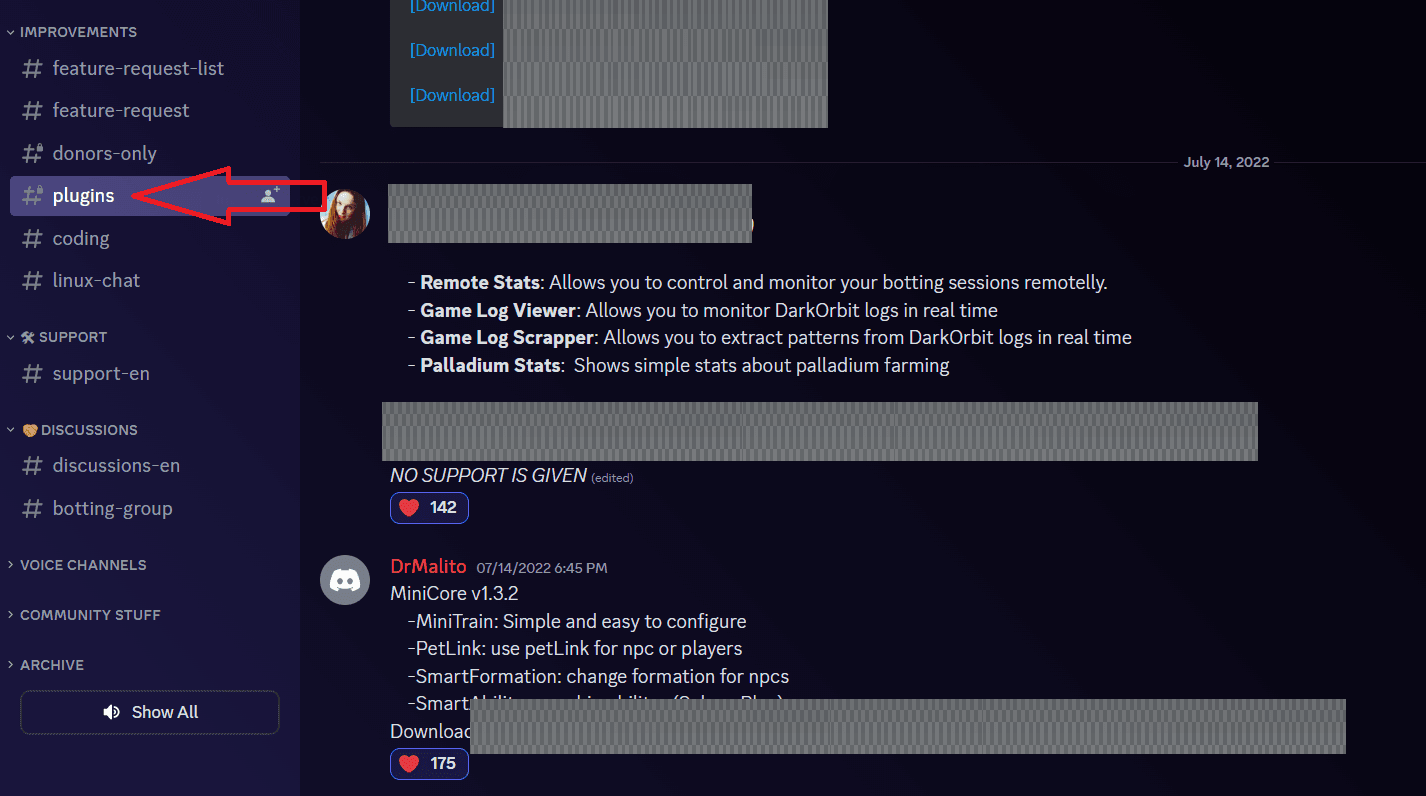
  1. Go to the #plugins channel.

Here you will see information about plugins.
plugins

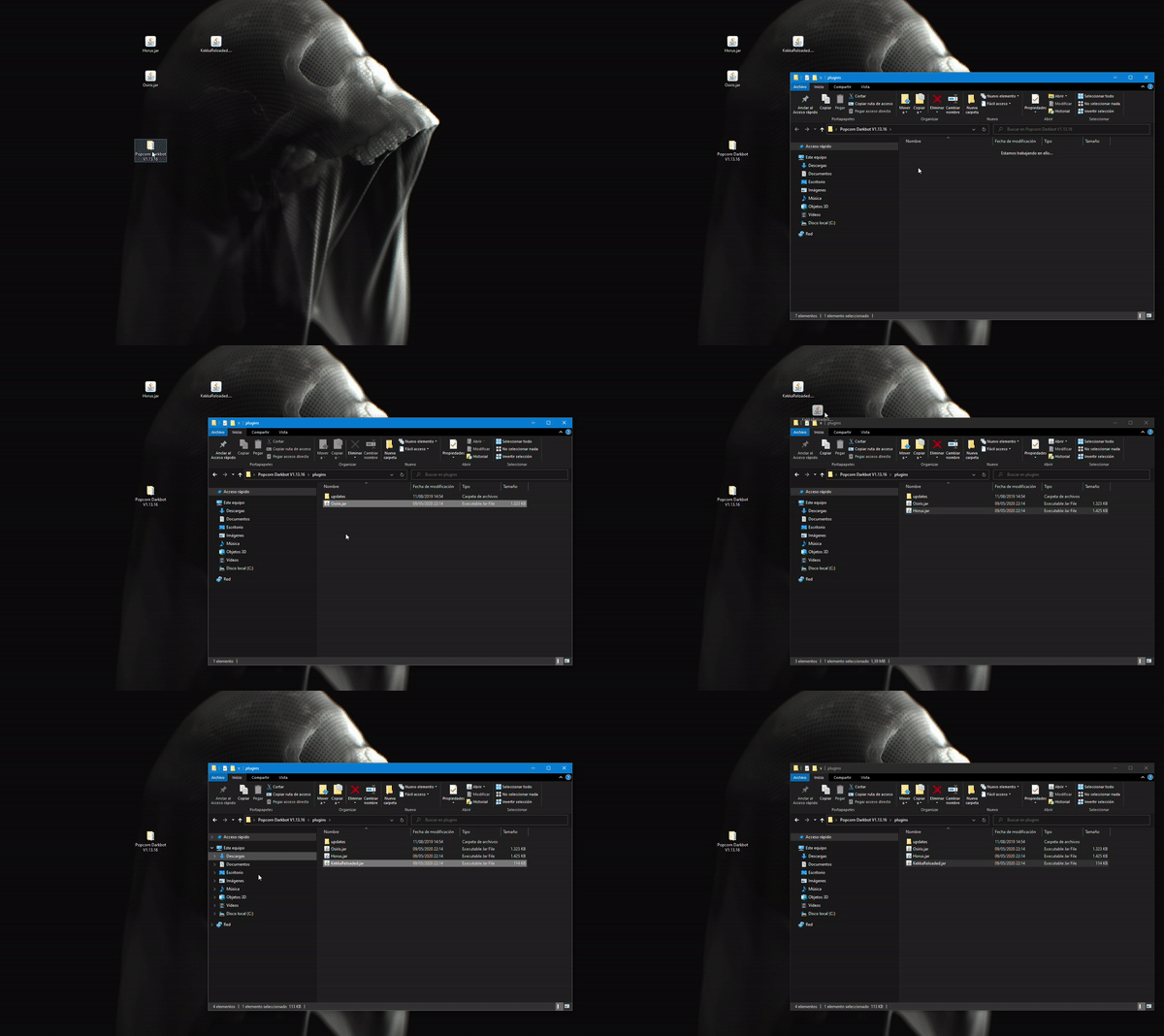
  1. Download the plugin and move it to the folder with the bot -> plugins.
plugins

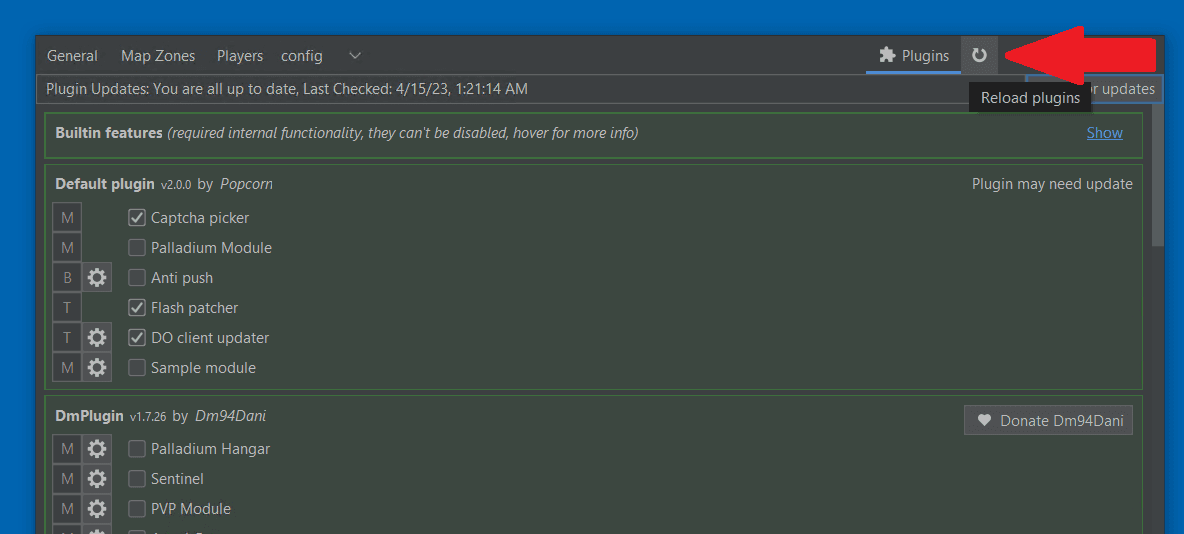
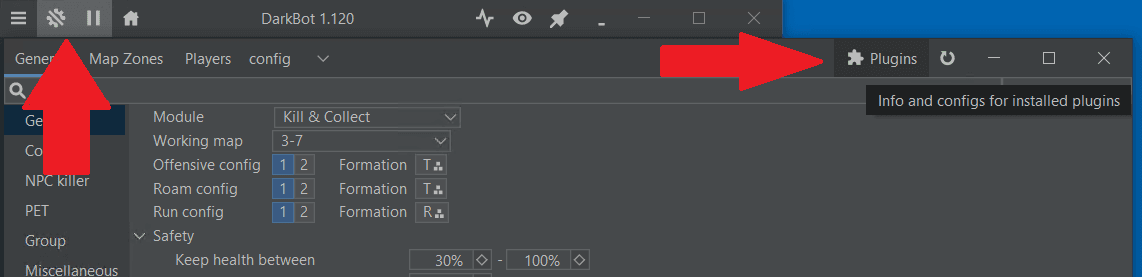
  1. Open Bot Settings -> Plugins.

If you don't see them, click Restart. Now you should see them.
plugins

plugins

2. If you don't have the "Donor" role

  1. Go to #support-en

  2. Write -pluginsen and send a message

  3. You will see the plugins available to you
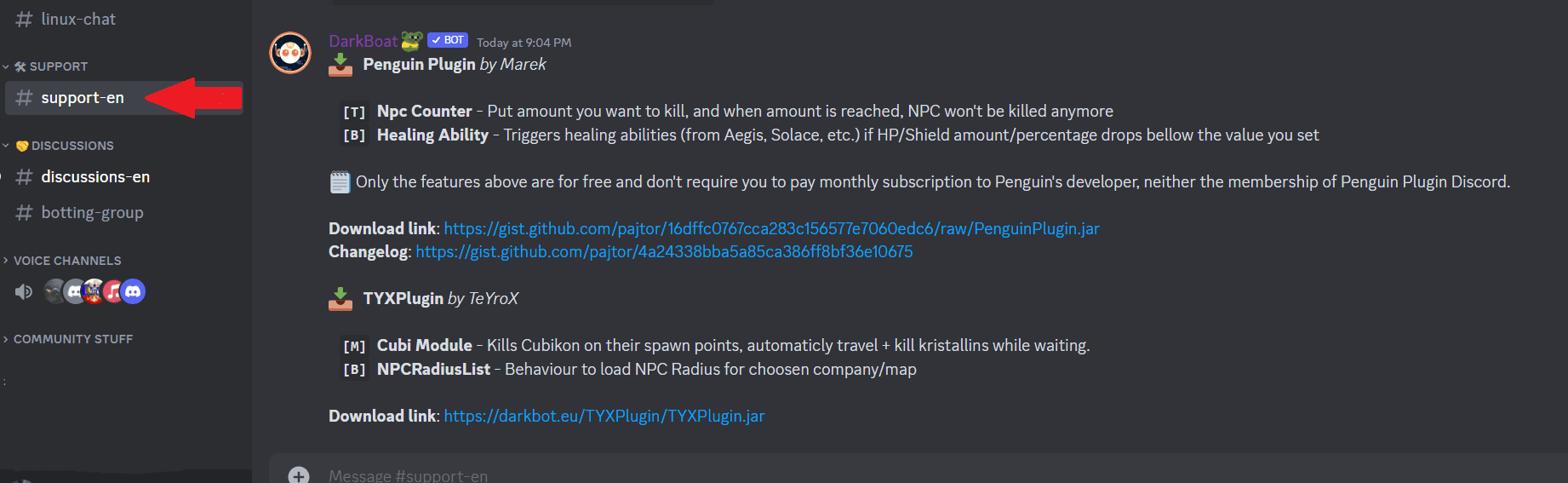
pluginsNonDonor

Bot ConfigurationTutorials

MIT 2024 © Nextra.